Artificial intelligence is now part of the daily life of software development. It’s no longer a trend to watch from afar. In many teams, GitHub Copilot has become a regular tool, integrated into the editor and constantly present while coding.
The problem isn’t adopting it. The problem is underutilizing it. While Copilot often starts as an intelligent autocomplete, its real value emerges when teams understand how it fits into their workflow and how it can help build software with more focus, less friction, and a tangible impact on the business.
What Is GitHub Copilot and What Is It Really For?
GitHub Copilot is an AI-powered programming assistant that helps developers write code, generate functions, create tests, and document applications directly within their development environment. It works by understanding the context of the project, the programming language being used, and the developer’s intent to suggest useful solutions in real time.

In practice, this means less time spent writing repetitive code and more time focused on designing solutions, making technical decisions, and advancing the product. Copilot doesn’t replace the developer, but it does enhance the way they work.
Unlike traditional autocompletes, GitHub Copilot isn’t limited to finishing words or individual lines. It can suggest complete functions, help structure a solution, and speed up tasks that take up a significant portion of development time.
Getting started with GitHub Copilot is easy. Integrating it well, not so much.
From a technical standpoint, getting started with GitHub Copilot is straightforward. All you need is a GitHub account with Copilot enabled and a compatible development environment, such as Visual Studio Code or JetBrains IDEs. Within minutes, useful suggestions start to appear.
However, when usage shifts from individual to team-based, key questions arise: which type of account is best to use, how to manage permissions, what level of trust to place in the generated code, and how to align it with team standards. These decisions are particularly important in professional environments and have a direct impact on productivity and software quality.
From Code to a Complete Solution
When GitHub Copilot is properly integrated into the workflow, its usefulness extends across the entire development cycle. It can help build a simple web application from scratch, manage forms and data, integrate external services via APIs, or enrich the application with dynamic information obtained from third-party sources.
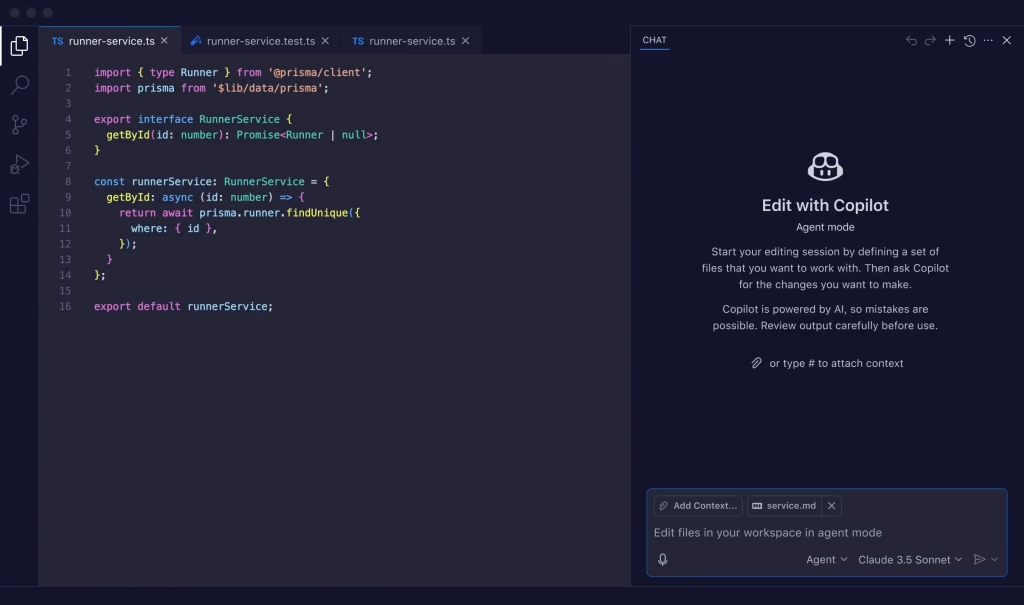
As the project evolves, Copilot can also assist with code documentation, the generation of automated tests, and the preparation of pull requests, making reviews clearer and more consistent. All of this helps reduce friction within the team and keeps the focus on the product and the value being delivered.
Why This AI Tool Is Also Relevant to Managers and Business Leaders
From a business perspective, GitHub Copilot is not just a tool for writing code faster. It is a lever to improve the way development teams work and deliver results.
Reducing the time spent on repetitive tasks allows teams to focus on solving real problems. Additionally, it facilitates onboarding of new team members, helps maintain a more consistent codebase, and improves predictability in deliveries. For managers and technical leaders, this translates into more efficient teams and projects that are better aligned with business objectives.
Common Pitfalls When Adopting It in Development Teams
One of the most common mistakes is using GitHub Copilot without proper configuration or without clearly defining its role within the team. Another is blindly trusting the generated code or limiting its use to simple autocompletion, which wastes much of its potential.
Avoiding these mistakes is key for Copilot to move beyond being a technological curiosity and become a strategic tool in software development.
Webinar: Supercharge Your Coding with GitHub Copilot
To dive deeper into all of this, Wembley Studios has prepared the webinar “Supercharge Your Coding with GitHub Copilot” which will be held on February 19 at 3:30 PM CET.
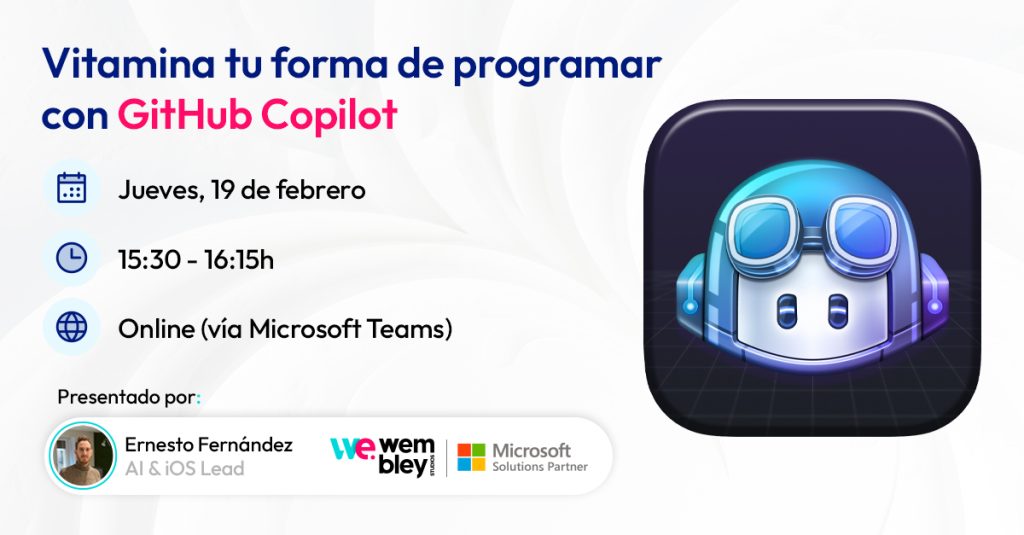
It will be a hands-on session, designed for developers and managers, in which we will work with GitHub Copilot in real-world scenarios: configuration, development of a web application, integration of external APIs, test generation, documentation, and pull request reviews.
The goal is not just to show you what Copilot can do, but how to use it intelligently to improve the way you code and your team’s performance.
👉 If you want to see it in action, join us at the webinar. Register today: Supercharge Your Coding with GitHub Copilot